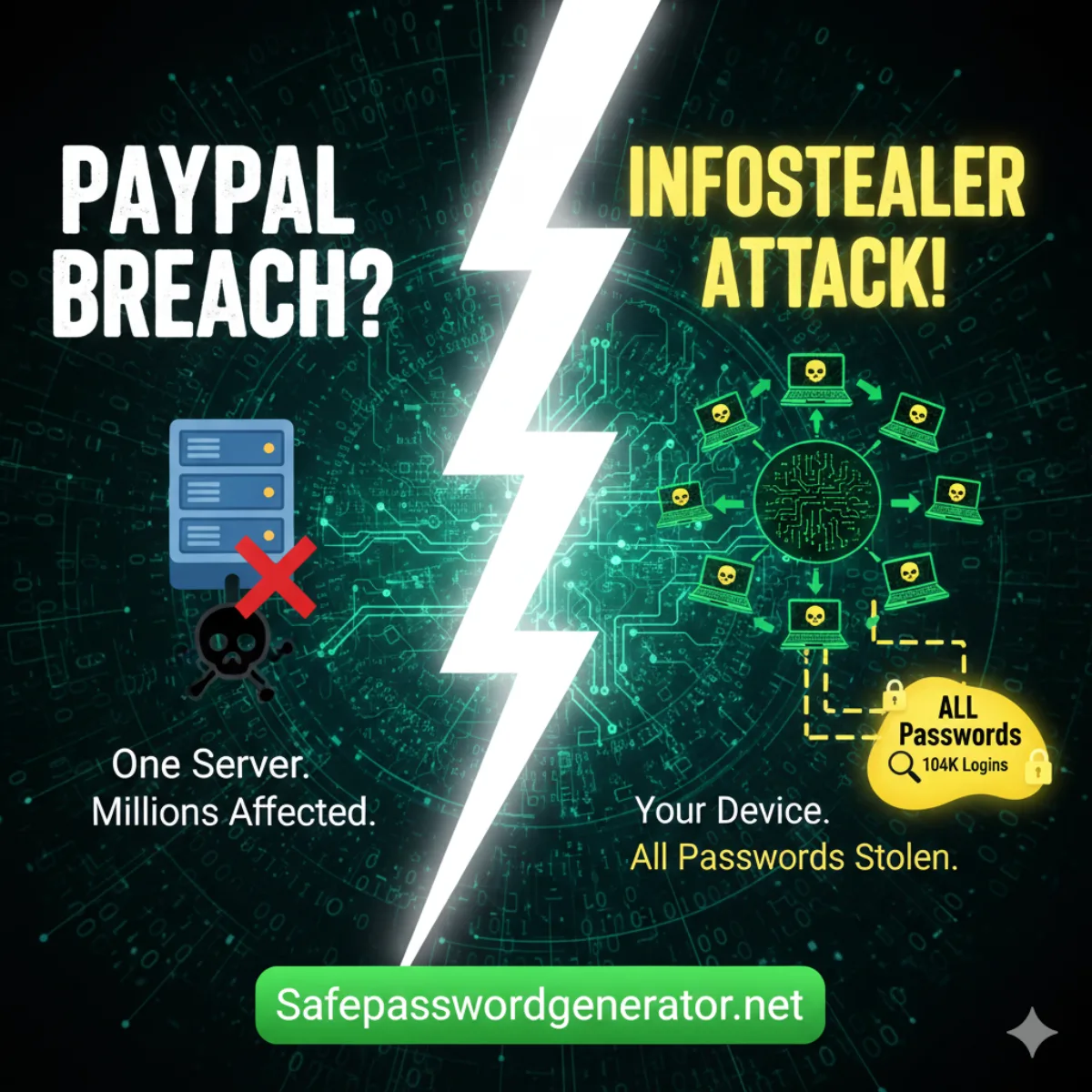
Security researchers say the 104,000 PayPal credential leak isn't a direct breach, it's from infostealer malware.
No, PayPal was likely NOT breached in January 2026. Security researchers at Cybernews analyzed the 104,000 credentials posted online and concluded they came from infostealer malware logs, not a direct breach of PayPal's systems. This was not a zero-day exploit or server compromise.
But before you breathe a sigh of relief, let's talk about what's actually happening here, because the real story is something you need to understand.
The Claims vs. Reality
On January 12th, 2026, someone posted on a data leak forum claiming they had a fresh "combolist" of PayPal credentials from December 2025. Sounds terrifying, right?
Here's what the Cybernews research team found when they dug in: this probably isn't a PayPal breach at all. The data appears to be harvested from infostealer malware, and there's a good chance most of these credentials are already outdated.
A few things tipped them off. First, 104,000 records is actually tiny for a credential dump. Real combolists typically run into the millions. Second, "from December 2025" likely means that's when someone downloaded records from an infostealer operation, not when devices were actually infected. These could be credentials collected over months or years.
This was not a zero-day exploit. PayPal's end-to-end encryption and server infrastructure remain intact. The vulnerability here is on the user side, specifically, on infected devices.
So What Are Infostealers?
This is where it gets interesting (and where most people get confused).
An infostealer is a specific type of malware designed to harvest login credentials directly from a user's device rather than attacking a central server. It silently captures saved passwords from browsers, records keystrokes, hijacks clipboard data, and sends everything to attackers without you ever knowing.
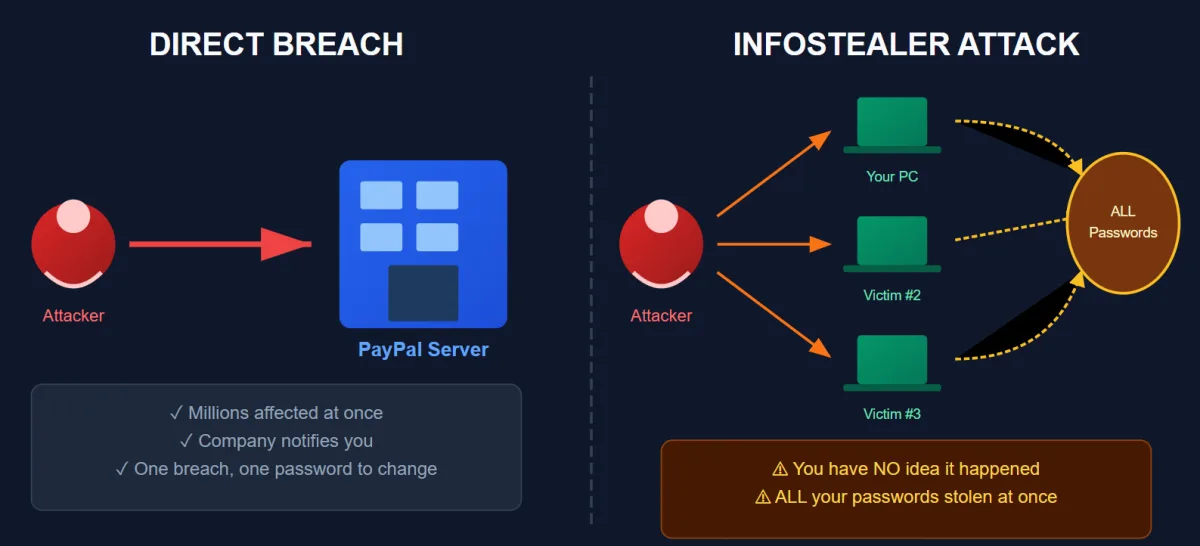
The key difference: a direct breach hits one company's database. An infostealer hits YOUR device and grabs everything, including PayPal, Gmail, Amazon, your bank, and anything else you've logged into.
When someone says they have "fresh" credentials, they're often just pulling from these infostealer logs. The infection could have happened months ago. You might have already changed your password. The account might be closed. There's no way to know without testing each one.
That's why researchers are skeptical about this PayPal dump being useful to attackers.
How Do Infostealers Get On Your Device?
This is the part nobody wants to hear. You probably installed it yourself. The most common infection vectors come down to poor device hygiene:
- Cracked software and "free" downloads. That pirated Photoshop? It came with a bonus feature.
- Game mods and cheat engines. "Free V-Bucks generators" and "aimbot downloads" are infostealer delivery systems.
- Phishing attachments. The "invoice" PDF from a sender you don't recognize.
- Fake browser extensions. That "YouTube downloader" Chrome extension with 50 reviews.
If any of those hit close to home, assume your credentials have been harvested at some point.
Why MFA Saves You Here
Even if your credentials are in this list, PayPal's multi-factor authentication makes it extremely difficult for attackers to actually access your account. They'd need your password AND access to your phone or email.
This is exactly why I keep beating the MFA drum. A leaked password without MFA is a wide-open door. A leaked password WITH MFA is an annoying locked gate that most attackers won't bother climbing.
There's another threat to consider: session hijacking. With a valid session cookie, attackers can access your account without needing the password at all. That's why clearing active sessions matters (more on that in a moment).
If you haven't enabled MFA on PayPal (or any financial account), stop reading and do it now. I'll wait.
Don't wait to see if you're on the list. Update your PayPal password now with something an infostealer can't guess.
Generate a 16-Character Unique Password →The Real Problem: Password Reuse
Here's what concerns me more than this specific dump.
If your PayPal password is the same as your email password, your Amazon password, your bank password... one infostealer infection can compromise your entire digital life. Attackers know this. That's exactly why they collect and sell these combolists. They're betting you've reused credentials somewhere.
I analyzed over 50,000 breached passwords for a research project, and the reuse patterns were depressing. People aren't just using weak passwords (though "123456" still dominates). They're using the same weak password everywhere.
The PayPal breach is a reminder that password strength isn't just a recommendation. It's math. Every character you add exponentially increases the time required to crack your credentials. If you want to understand how password entropy works, we break down the calculations so you can see exactly why length matters more than complexity.
What You Should Actually Do
1. Check if you're affected. Head to HaveIBeenPwned.com and search your email. If it appears in breach databases, assume those passwords are compromised.
2. Check your active PayPal sessions. Go to Settings → Security → "Manage logins" and log out of all devices. Even if you've changed your password, old sessions can sometimes stay active. This prevents session hijacking from lingering access. Kill them all and start fresh.
3. Use unique passwords for every account. Yes, every single one. A password manager makes this painless. My current favorites for 2026 are NordPass and RoboForm, both of which have solid free tiers to get started.
4. Generate strong passwords. Stop using your dog's name plus your birth year. Use a password generator to create random, unguessable strings. Aim for 16+ characters minimum.
5. Enable MFA everywhere. Especially on financial accounts, email, and anything connected to money. Authenticator apps beat SMS codes if you have the choice. Better yet, if the service supports it, switch to Passkeys. They're virtually immune to phishing and infostealers because there's no password to steal in the first place.
6. Improve your device hygiene. Stop downloading cracked software. I know, that pirated Adobe suite is tempting. But the real cost is your credentials ending up in a combolist six months from now. Pay for software or use legitimate free alternatives.
7. Watch for phishing. When breach news hits, scammers send fake "security alert" emails. If PayPal contacts you, go directly to paypal.com instead of clicking links.
The Bottom Line
Is this PayPal story scary? A little. Is it the catastrophic breach the headlines suggest? Probably not.
But it's a solid reminder that infostealers are constantly harvesting credentials, combolists are constantly being traded, and your password hygiene directly determines whether you become a victim.
Don't wait for the next headline. Fix your passwords now.
Updated February 22, 2026
PayPal Working Capital Breach: SSNs Exposed for 6 Months
This is separate from the January infostealer incident. On February 20, 2026, PayPal disclosed a second security incident affecting its PayPal Working Capital (PPWC) loan application: a product used by small business owners to access quick financing.
A software coding error in the PPWC interface left customer data exposed to unauthorized parties from July 1, 2025 to December 13, 2025, a window of approximately 165 days. PayPal discovered the issue on December 12, 2025, fixed it the next day, then waited until February 10, 2026 to notify affected customers. That two-month notification delay is a legitimate criticism.
What was exposed: full names, email addresses, phone numbers, business addresses, Social Security numbers, and dates of birth. Approximately 100 customers were affected, a small number, but the data type is severe. SSNs and dates of birth are the two ingredients needed for identity theft and fraudulent credit applications.
This was not a hacker attack. There was no external intrusion. A code change created a gap, and third parties accessed data directly through that gap. PayPal confirmed no broader system compromise occurred.
What Affected PayPal Working Capital Customers Should Do Now
1. Freeze your credit immediately at all three bureaus: Equifax, Experian, and TransUnion. It's free. A freeze prevents anyone from opening new credit accounts in your name even if they have your SSN and date of birth. Go to each bureau's website directly. Do not use third-party services.
2. Enroll in the free Equifax monitoring PayPal is offering. Two years of three-bureau credit monitoring at no cost. Enrollment deadline is June 30, 2026. The activation code is in the breach notification letter PayPal sent you.
3. Check annualcreditreport.com for any accounts or inquiries you don't recognize. If your SSN was used to open a fraudulent account, it will show here.
4. Watch for targeted phishing. Attackers who accessed this data know your name, email, and that you use PayPal Working Capital. Expect highly targeted phishing emails impersonating PayPal, Equifax, or your lender. Go directly to websites. Never click links in emails claiming to be breach response.
5. Update your PayPal password regardless. Even though this was not a password breach, credential hygiene matters. Use a password generator for a new unique password and store it in a password manager.
How Session Hijacking and Cookie Stealers Target PayPal Users
Session hijacking happens when malware steals an already authenticated browser session token. Attackers do not need your password if they can replay a valid session cookie. This is why many PayPal compromises look like account takeovers without obvious login alerts.
Cookie stealer malware runs locally, scans browser storage, and exports authentication artifacts to attacker infrastructure. Once those cookies are loaded into a controlled browser profile, attackers can bypass normal login flows and even evade MFA prompts that were already satisfied.
Reduce risk by forcing regular session resets, signing out from all devices after suspicious activity, and preferring hardware security keys for high-value accounts. Avoid relying on browser-stored credentials alone, because local endpoint compromise is where info-stealer families do the most damage.
Frequently Asked Questions
Was PayPal breached in January 2026?
No. Security researchers believe PayPal was NOT directly breached. The 104,000 credentials posted online appear to be from infostealer malware logs, not a breach of PayPal's systems. This was not a zero-day exploit.
What is an infostealer?
An infostealer is malware that silently harvests credentials from your device. It grabs saved passwords from browsers, captures login forms, hijacks clipboard data, and sends everything to attackers. Common infection sources include cracked software, game mods, and phishing attachments.
How do I know if my PayPal credentials were leaked?
Check HaveIBeenPwned.com with your email address. If it appears in breach databases, assume those passwords are compromised. Also check PayPal's Security settings and review active sessions for any session hijacking.
How can I protect my PayPal account?
Use a unique password for PayPal (use a password generator for 16+ characters), enable multi-factor authentication, check and clear active sessions, maintain good device hygiene by avoiding cracked software, and consider switching to Passkeys if available.
Was there a second PayPal breach in February 2026?
Yes. PayPal disclosed a separate incident on February 20, 2026 affecting its Working Capital loan application. A software coding error exposed customer data including Social Security numbers and dates of birth from July 1 to December 13, 2025. Approximately 100 small business customers were affected. PayPal is offering two years of free credit monitoring through Equifax. If you received a breach notification letter, freeze your credit at all three bureaus immediately.
Should I freeze my credit after the PayPal Working Capital breach?
Yes, if you were notified. The exposed data includes Social Security numbers and dates of birth, which are the two pieces of information needed to open fraudulent credit accounts. A credit freeze at Equifax, Experian, and TransUnion is free, takes about 10 minutes per bureau, and prevents new accounts from being opened in your name. You can temporarily lift the freeze when you need to apply for credit yourself.