WiFi Password Generator for WPA2 and WPA3 Networks
Generate a 20-character key that defends against offline brute-force attacks.
WiFi Password Generator
Pre-configured for maximum router security
🛡️ Analysis: 0% of 50,847 breached passwords match this entropy pattern.
Want to know exactly how strong your password is? Calculate your password's entropy to see how long it would take to crack.
⚠️ Critical Security Warning
This password protects your Router from neighbors, but it does NOT protect your Data from your ISP.
Even with a strong WPA2 password, your Internet Service Provider (and hackers on public networks) can see the websites you visit.
The Fix: Encrypt your actual data stream.
Encrypt Your WiFi with NordVPN (68% Off) →Privacy-First by Design
Client-side generation powered by Web Crypto. Transparent, open source code you can audit anytime.
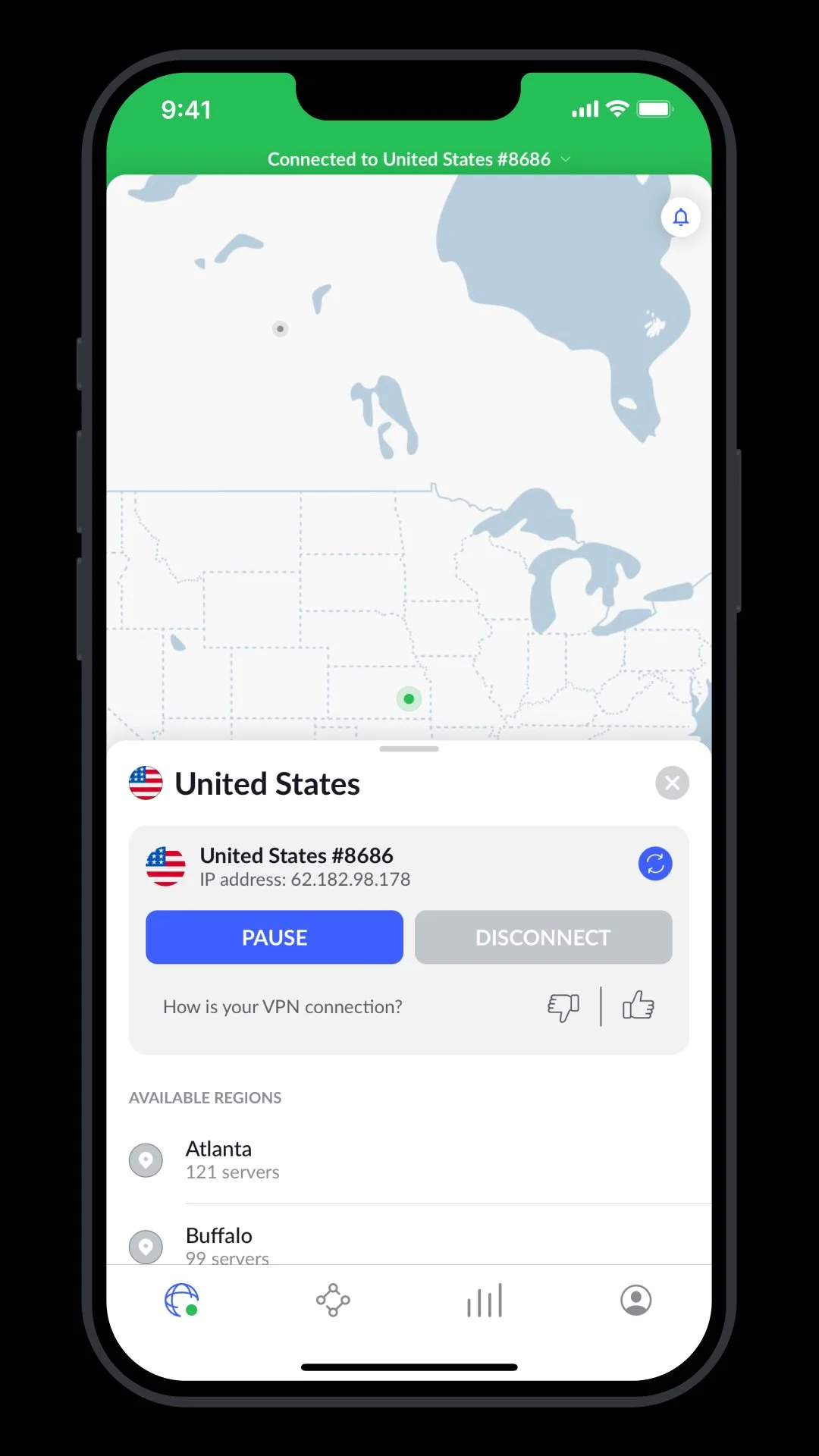
A strong WiFi password secures your network at the door. A VPN encrypts everything that leaves it.
On public WiFi, your password protects your router. NordVPN protects every packet of data that travels over that connection.
Protect your traffic with NordVPN →Affiliate link
We keep this site free through affiliate partnerships. Here's who we trust.
Your WiFi Password Locks the Door. A VPN Hides the House.
A strong password stops neighbors from joining your network. It does not stop your Internet Service Provider — or anyone on a public network — from seeing exactly what you do online. A VPN encrypts your entire connection so nobody can watch your traffic.
Anyone on your network can see your traffic unless it's encrypted.
Need to store your new WiFi password? Save it in NordPass
WPA2 vs WPA3: Which Password Do You Need?
Your router's security protocol determines the password requirements. Here's what you need to know:
🔐 WPA2 (Most Common)
- Minimum length: 8 characters
- Recommended: 12-16 characters
- Character set: Letters, numbers, symbols
- Status: Still secure for home use
Tip: Most routers manufactured before 2020 use WPA2. Our generator defaults to 20 characters for maximum security.
🛡️ WPA3 (Latest Standard)
- Minimum length: 8 characters
- Recommended: 16-20+ characters
- Character set: Letters, numbers, symbols
- Status: Required for WiFi 6 certification
Upgrade: WPA3 adds protection against offline dictionary attacks. If your router supports it, enable WPA3.
How to Check Your Router's Security Protocol
- Windows: Click WiFi icon → Properties → Look for "Security type"
- Mac: Option+click WiFi icon → Look for "Security"
- iPhone: Settings → WiFi → Tap the (i) next to your network
- Android: Settings → WiFi → Tap your network → View details
Our recommendation: Use 20+ characters regardless of WPA2 or WPA3. It costs nothing and protects against future cracking methods. Our generator creates compliant passwords for both standards.
How to Update Your Router Password
After generating a secure WiFi password, here's how to apply it:
Step 1: Access Router Admin Panel
Open a browser and go to your router's IP address (usually one of these):
192.168.1.1192.168.0.110.0.0.1
Step 2: Navigate to Wireless Settings
Look for: Wireless → Security or WiFi Settings → Password
Step 3: Update and Save
Paste your new password, select WPA2/WPA3, and save. All devices will need to reconnect with the new password.
⚠️ Before you change: Write down the new password or save it to your password manager. You'll need it to reconnect all your devices.
WPA2 Password Generator
Generate a secure WPA2 password that can withstand brute-force attacks. WPA2 (Wi-Fi Protected Access 2) is the security protocol used by most home and business routers.
WPA2 password requirements:
- Minimum 8 characters (we recommend 16+)
- Can include letters, numbers, and symbols
- Case-sensitive
Why default router passwords are dangerous: Most routers ship with passwords like "admin" or "password." Hackers have databases of default credentials for every router model.
WPA2 Key Generator
Your WPA2 key (also called a Pre-Shared Key or PSK) is what protects your wireless network from unauthorized access.
How long to crack a WPA2 key:
| Password Length | Time to Crack |
|---|---|
| 8 characters (lowercase only) | ~2 hours |
| 8 characters (mixed) | ~1 week |
| 12 characters (mixed) | ~200 years |
| 16+ characters (mixed) | Effectively impossible |
A weak WPA2 key can be cracked in minutes using tools like Hashcat or Aircrack-ng. Don't let your neighbor steal your bandwidth (or worse).
Why Length Matters for WiFi Passwords
Most home routers still use WPA2 security. Unlike websites that lock you out after failed attempts, hackers capture your WiFi "handshake" from the air and crack it offline using GPU clusters.
They can guess millions of passwords per second. Short passwords fall in hours.
WPA2 vs WPA3: What's the Difference?
Bottom line: WPA2 demands longer passwords because attackers can crack offline. WPA3 is more forgiving but still benefits from length.
How to Check Your Router's Security Type
- Windows: Settings → Network → WiFi → Properties → Security type
- Mac: Hold Option + click WiFi icon → look for "Security"
- iPhone: Settings → WiFi → tap (i) next to your network
- Android: Settings → WiFi → tap your network → Security
WiFi Password Best Practices
For WPA2 Networks
- Use 16+ characters minimum — Vulnerable to offline brute force
- Avoid dictionary words — Cracking tools test common words first
- Skip personal info — No addresses, names, pet names, birthdays
- Max length is 63 characters — Anything longer gets truncated
For WPA3 Networks
- 12+ characters is sufficient — SAE encryption blocks offline attacks
- Still use randomness — Don't get lazy because WPA3 is stronger
- Check device compatibility — Older devices may not connect to WPA3-only
- Consider mixed mode — Most routers support WPA2/WPA3 simultaneously
Pro Tip: You only type your WiFi password once per device. Make it long, make it random, then forget about it.
Why length beats complexity | How entropy works | Dangers of public WiFi
WiFi Password FAQ
What is a good WiFi password length?
For WPA2 networks, use at least 12-16 characters. For WPA3 networks, use 16-20+ characters. Our generator defaults to 20 characters, which exceeds requirements for both standards and provides maximum security against brute force attacks.
What is the difference between WPA2 and WPA3 passwords?
Both WPA2 and WPA3 have the same minimum password requirement of 8 characters. The difference is in the protocol security: WPA3 adds Simultaneous Authentication of Equals (SAE), which protects against offline dictionary attacks. The password format is identical for both, but we recommend 20+ characters regardless of protocol.
Can I use special characters in my WiFi password?
Yes, both WPA2 and WPA3 support special characters including !@#$%^&*. However, avoid characters that might cause issues with some devices: backslash (\), quotes ("), and spaces at the beginning or end. Our generator excludes problematic characters by default.
How often should I change my WiFi password?
Change your WiFi password when: (1) you suspect unauthorized access, (2) you've shared it with guests you no longer want on your network, (3) a device with the password was lost or stolen, or (4) it's been more than 1 year. There's no need to change it monthly if it's strong and hasn't been compromised.
Is this generator safe to use?
Yes. Passwords are generated entirely in your browser using the Web Crypto API. No data is sent to our servers, no passwords are stored, and the tool works offline. You can verify this by disconnecting from the internet and generating a password.
Recommended by SafePasswordGenerator.net
One Strong WiFi Password Is Not Enough
Every device on your network has its own accounts and passwords. If any one of them uses a weak or reused password, your whole network is at risk. NordPass generates and stores a unique strong password for every site — automatically.
Try NordPass Free for 30 Days →Free plan available. No credit card required. Affiliate link — we earn a commission at no cost to you.
Related Security Tools
Other Tools
Need a different type of security code? Check out our other generators:
- PIN Code Generator - Generate secure numeric PINs for banks, phones, and door codes
- Memorable Password Generator - Create easy-to-remember passphrases using Diceware
Cryptographically Secure
Uses Web Crypto API's crypto.getRandomValues() for true randomness. No pseudo-random number generators.
Client-Side Only
All password generation happens in your browser. No data is sent to our servers or stored anywhere.
Open Source
Transparent codebase you can audit anytime. Browse the GitHub repo →
Your Privacy is Protected
We don't collect, store, or transmit any data. Your passwords are generated locally in your browser using industry-standard cryptographic functions. No tracking, no analytics, no data collection.