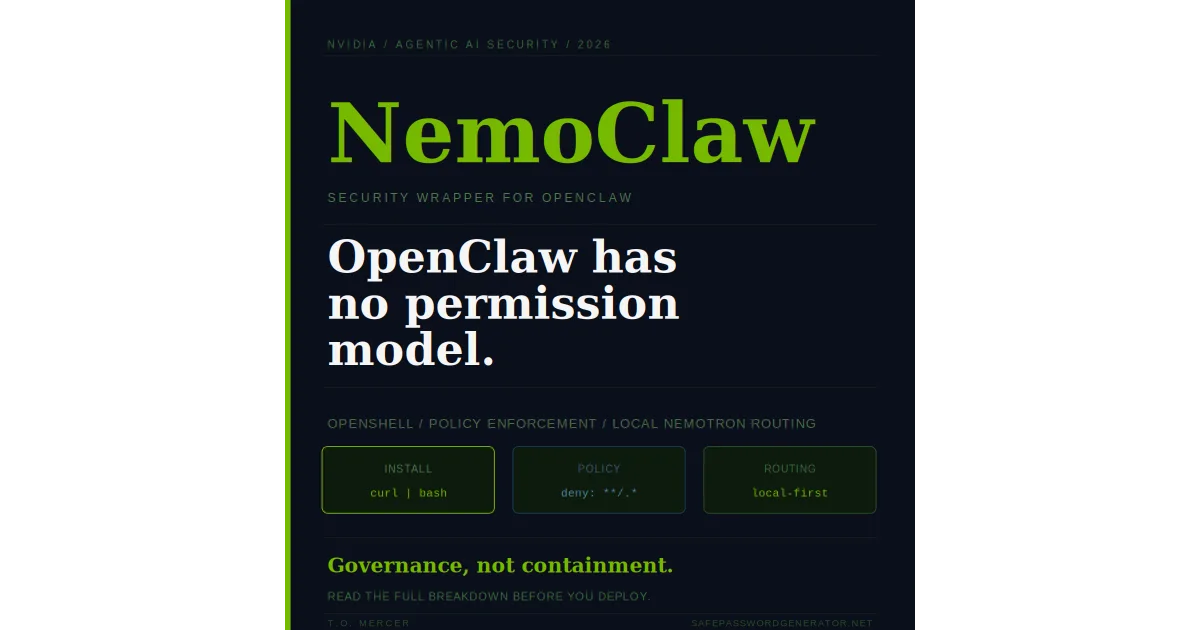
When you give an AI agent access to your file system, your APIs, and your credentials, you are not running a chatbot anymore. You are running an autonomous user with your permissions. If that agent gets hijacked via prompt injection, it can read your Documents folder, call your APIs, and exfiltrate data without a single login attempt showing up in your logs.
That is the gap OpenClaw has been operating in. Developers have been focused on what agents can do while the question of how to stop them from doing too much got deprioritized. NemoClaw, announced by NVIDIA at GTC and available now in early preview, is the architectural answer to that gap.
What Is NVIDIA NemoClaw? (The 30-Second Summary)
NemoClaw is an open source security stack that wraps OpenClaw with two core additions: OpenShell, a policy-based runtime that enforces what agents can access and where data can go, and a privacy router that routes sensitive workloads to local Nemotron models rather than cloud APIs.
Install it with a single command, then run onboarding:
Once installed, OpenShell sits between your agents and everything they interact with, enforcing rules you define rather than running with whatever permissions OpenClaw inherited at setup.
NemoClaw Quick Install (Mac, Windows, Linux)
No NVIDIA GPU required for installation. GPU only needed for local Nemotron routing.
1. Install
$ curl -fsSL https://nvidia.com/nemoclaw.sh | bash
2. Onboard (existing OpenClaw users)
$ nemoclaw onboard --import-from=openclaw
2. Onboard (fresh install)
$ nemoclaw onboard
3. Enable local routing (RTX GPU only)
$ nemoclaw config set router.mode=local-first
4. Verify
$ nemoclaw status
NemoClaw vs. OpenClaw: Key Differences
The diagram below shows how OpenShell inserts a policy enforcement layer between your agent requests and the systems they interact with. Without NemoClaw, agents have direct, unmediated access to everything on your machine.
| Feature | Raw OpenClaw | OpenClaw + NemoClaw |
|---|---|---|
| Policy-based access control | ✗ None | ✓ OpenShell enforced |
| File system scope limits | ✗ Full system access | ✓ Directory-scoped per policy |
| Credential exposure risk | ✗ High (hard-coded / .env) | ⚠Reduced (not retroactive) |
| Data routing | ✗ Cloud by default | ✓ Local Nemotron first |
| Prompt injection protection | ✗ None | ✓ Agent scope limited by policy |
| External API call controls | ✗ Unrestricted | ✓ Allowlist-based via OpenShell |
| Audit logging | ✗ None by default | ✓ Full agent action log |
| Existing script compatibility | ✓ Full | ⚠Most scripts compatible |
| NVIDIA GPU required | ✗ No | ⚠For local routing only |
| License | MIT | Apache 2.0 |
How OpenShell Enforces AI Guardrails
OpenShell sits between your agents and the systems they interact with. It evaluates each agent action against a policy file before allowing it to execute. If the action falls outside the defined scope, it is blocked and logged.
A policy file is a YAML configuration that defines what an agent is permitted to do. Below is a real-world example that restricts an agent to a specific project directory, blocks all hidden files with a single wildcard, and limits external API calls to an approved list:
The "**/.*" deny pattern is the most important line in this file. A single wildcard blocks every hidden file on the system, covering .env, .git, .ssh, browser session files, and any other dotfile an agent might otherwise silently access. It replaces what would otherwise be a long list of individual deny rules.
The Privacy Router: Local Nemotron vs. Cloud Models
The privacy router is NemoClaw's second major addition. It evaluates each agent workload and routes it to either a local Nemotron model or a cloud-based frontier model based on the policy you define.
For teams running on NVIDIA GeForce RTX PCs, RTX PRO workstations, or DGX hardware, enable local-first routing with a single command:
With local-first mode active, sensitive workloads, code containing credentials, PII, or proprietary logic, route to an on-device Nemotron model. No API calls leave the machine. No prompts appear in cloud provider logs. Complex planning tasks that don't involve sensitive data can still route to frontier models like GPT-4 or Claude through the privacy router's sanitization layer.
This is also NVIDIA's strategic play. By making the safest path run on Nemotron on NVIDIA hardware, they ensure that enterprise-grade agentic AI deployment is most natural on their stack. It is a picks-and-shovels move timed precisely to the moment enterprises are deciding which agentic infrastructure to standardize on.
What NemoClaw Doesn't Fix
NemoClaw adds forward-looking controls from the moment you install it. The five gaps it does not close automatically:
- Retroactive credential exposure. If OpenClaw has been running for weeks, it may have already read API keys, cached tokens, or written files with elevated permissions. NemoClaw's policy enforcement starts at installation. It does not audit what happened before.
- Existing script permissions. Scripts that previously ran with unrestricted root access will need updated OpenShell policies before they work under NemoClaw. This is intentional, but it requires a review pass across your automation.
- Credentials already in cloud logs. If your OpenClaw agent made API calls that included sensitive data in request headers or query parameters, that data may already be in cloud provider logs. NemoClaw cannot remove it retroactively.
- OS-level containment. OpenShell enforces policy at the application layer. It is not a virtual machine or a hardened kernel. If a sophisticated exploit breaks the OpenShell runtime itself, the agent still operates with the same OS-user permissions as the person who launched it.
T.O. Mercer: OpenShell is governance, not containment. For maximum isolation, run the entire NemoClaw stack inside a Docker container with a read-only root filesystem. A runtime bypass in that environment keeps the agent trapped in a disposable container rather than loose on your machine.
- Third-party plugin logic. NemoClaw wraps the core OpenClaw runtime. If you use third-party OpenClaw tools or plugins that implement their own network-calling logic outside the standard runtime, OpenShell may not intercept every outbound packet those plugins generate. Application-layer policy enforcement has no visibility into egress traffic that bypasses the runtime entirely. For plugins you cannot audit, add network-level egress filtering at the OS or container boundary as a second layer of control.
Installing NemoClaw without addressing these first is like adding a deadbolt after a break-in without checking what was taken. The lock is good. The audit comes first.
The Gap NemoClaw Cannot Close: Logic-Level Hallucination
Traditional security tools focus on access control: can the agent see the file? NemoClaw is excellent at this. What it cannot solve is what happens after a permitted access.
If you give an agent permission to read financials.csv, OpenShell will verify that the access is authorized. But if the underlying model hallucinates and reports that your revenue is $10M when the file actually says $1M, NemoClaw has no mechanism to catch that. The access was legitimate. The output was wrong.
The practical risk is real: an agent could accurately access a security log and then report that no threats were found, effectively blinding the operator despite having the correct permissions and following every policy rule.
- Verification loops. Route the same data to a second, isolated agent and compare summaries. Divergence between two independent reads is a signal worth flagging before acting on either output.
- Deny write actions by default. Set your OpenShell policy to block all write operations unless explicitly whitelisted. A human checkpoint before an agent commits changes based on its own findings limits the damage a hallucinated conclusion can cause.
Step 1: Audit your existing OpenClaw install
Before touching NemoClaw, run the OpenClaw security audit checklist to map what access your agents currently have and what they have already touched.
Step 2: Revoke and rotate credentials
Any API keys, tokens, or credentials that OpenClaw has had access to should be rotated now. Use a password manager to generate new credentials and store them properly. This is the step most people skip and the one that matters most.
Rotate Every Credential OpenClaw Has Touched
NemoClaw secures what your agents do going forward. Rotating the credentials they have already accessed closes the retroactive exposure gap. Every service gets a unique key, stored properly.
NordPass is what I recommend for managing API credentials and service passwords at scale.
Try NordPass FreeAffiliate link. I may earn a commission at no extra cost to you.
Step 3: Install NemoClaw
Run the install command shown at the top of this guide. For the onboarding step, existing OpenClaw users should use the import flag rather than starting from scratch:
--import-from=openclaw flag analyzes your existing OpenClaw activity logs and generates a baseline OpenShell policy from your actual usage patterns, not a blank template. This is significantly faster than manually mapping permissions from scratch, and it surfaces access patterns you may not have realized your agents were using. Review the generated policy carefully before accepting it; some of those patterns may be exactly what you want to restrict.Full documentation and source code are on the NemoClaw GitHub repository. System requirements: Linux or WSL2. CUDA hardware required only for local Nemotron routing.
Step 4: Configure your "Deny All" baseline
The most effective approach is Zero Trust: start by giving the agent nothing, then explicitly whitelist only what it needs. Initialize the policy with:
This generates a baseline policy where the agent has zero filesystem, network, or process permissions. Then use the YAML to punch holes only for what is strictly necessary. If the agent is for coding, whitelist only your ~/projects folder and github.com. If it is ever compromised via prompt injection, its blast radius is limited to those three or four explicitly allowed actions rather than your entire machine. Use the YAML example in the OpenShell section above as your starting point.
Step 5: Test existing scripts
Run your existing OpenClaw automation under the new policy. Scripts requiring unrestricted file system access will surface as policy violations in the OpenShell log. Review each violation and either update the script scope or extend the policy to accommodate it explicitly.
Step 6: Enable audit logging
Set logging level to verbose in your policy file for the first two weeks. This gives you a baseline of normal agent behavior you can reference if something unusual happens later.
If you want a completely clean slate before starting with NemoClaw, the complete OpenClaw uninstall guide covers full removal across all platforms before a fresh install.
NemoClaw on Mac and Windows: What Actually Works in 2026
NemoClaw's full stack requires Linux or WSL2. If you are on Mac or Windows, here is exactly what works, what does not, and the fastest path to a functional setup.
NemoClaw on Mac (Apple Silicon and Intel)
Native macOS support has not been announced as of March 2026. The install script will not complete on macOS directly. Two options that work:
Option 1: Run NemoClaw in a Linux VM (recommended for testing)
# Install UTM (free) or VirtualBox on Mac
# Create an Ubuntu 22.04 LTS VM with at least 4GB RAM
# Then follow the standard Linux install inside the VM:
curl -fsSL https://nvidia.com/nemoclaw.sh | bashOption 2: Use a cloud Linux instance
# Spin up an Ubuntu instance on any cloud provider
# SSH in and run the standard install:
curl -fsSL https://nvidia.com/nemoclaw.sh | bash
nemoclaw onboardOpenShell policy enforcement and audit logging both work fully in either option. Local Nemotron routing requires NVIDIA GPU hardware so cloud instances without GPU will use cloud routing mode.
NemoClaw on Windows (WSL2)
WSL2 is the supported path on Windows. Native Windows support has not been announced. Setup:
# Step 1: Install WSL2 if not already installed (PowerShell as Admin)
wsl --install

# Step 2: Set Ubuntu as default
wsl --set-default Ubuntu

# Step 3: Open WSL2 terminal and install NemoClaw
curl -fsSL https://nvidia.com/nemoclaw.sh | bash
nemoclaw onboardGPU passthrough for local Nemotron routing requires WSL2 with CUDA support enabled. For most users on Windows, cloud routing mode is the practical option until native Windows support ships.
What works on Mac and Windows right now
- OpenShell policy enforcement - works fully via VM or WSL2
- Audit logging - works fully via VM or WSL2
- Network allowlist controls - works fully via VM or WSL2
- Local Nemotron routing - requires NVIDIA GPU with CUDA, not available on Mac hardware
- Native Mac or Windows install - not available as of March 2026
For the full migration procedure from OpenClaw to NemoClaw including WSL2 setup, see the complete OpenClaw to NemoClaw migration guide.
Related Reading
- OpenClaw Security Risks: What Runs on Your Machine When You Install It
- OpenClaw Security Audit: Complete Checklist (2026)
- How to Completely Uninstall OpenClaw (All Platforms)
- AI Agent Security: Why 1Password Unified Access Matters (2026)
- McKinsey AI Hack: How an AI Agent Breached Lilli in 2 Hours
Frequently Asked Questions
What is NVIDIA NemoClaw?
NemoClaw is an open source security and privacy layer built by NVIDIA that wraps OpenClaw. It installs OpenShell, a policy-based runtime that controls how AI agents behave and handle data, and supports running local Nemotron models to keep sensitive data off cloud servers.
What is NVIDIA OpenShell?
OpenShell is an open source runtime developed by NVIDIA that enforces policy-based privacy and security guardrails for autonomous AI agents. It controls what data agents can access, what they can send externally, and how they handle sensitive information, functioning as an identity and access management layer specifically for AI agent logic.
Does NemoClaw require an NVIDIA GPU?
Local Nemotron model routing requires CUDA-enabled NVIDIA hardware. Cloud-based routing through the privacy router works on any system, but sensitive data will leave the machine in that mode.
Can I use NemoClaw with Claude or GPT-4?
Yes. The NemoClaw privacy router can route queries to cloud-based frontier models including GPT-4 and Claude, applying policy rules to sanitize or block sensitive data before it leaves the machine.
Is OpenShell the same as a firewall?
No. A firewall controls network traffic. OpenShell is an identity and access management layer specifically for AI agent logic. It controls what agents are permitted to do at the application level, not at the network level.
Does NemoClaw fix OpenClaw's credential exposure risks?
NemoClaw adds forward-looking policy controls. It does not automatically audit or rotate credentials that OpenClaw has already accessed before installation. A manual credential review and rotation is required alongside NemoClaw installation.
Will NemoClaw break my existing OpenClaw scripts?
Most scripts are compatible. Scripts that require unrestricted root access or broad file system permissions will need updated OpenShell policies to define their allowed scope before they can run.
Does NemoClaw slow down agent performance?
The OpenShell policy check adds minimal latency. Local Nemotron routing eliminates cloud API round-trip time, which can actually improve response speed for data-heavy workloads on NVIDIA hardware.
Is NemoClaw free?
Yes. NemoClaw is open source under the Apache 2.0 license. It is available on the NemoClaw GitHub repository.
Does NemoClaw work on Windows?
NemoClaw currently requires WSL2 or a native Linux environment. Native Windows support has not been announced as of March 2026.
Does NemoClaw work on Mac?
Native macOS support has not been announced as of March 2026. Mac users can run NemoClaw inside a Linux VM using UTM or VirtualBox, or on a cloud Linux instance. See the NemoClaw on Mac and Windows section above for setup steps.
Sources
- NVIDIA NemoClaw: Official Product Page
- NemoClaw GitHub Repository
- NVIDIA Developer Blog: Run Autonomous Agents More Safely with OpenShell
- NVIDIA Press Release: AI Agent Toolkit
T.O. Mercer | SafePasswordGenerator.net